
Implementing AI-Powered AR Automation: The Complete Demo-to-Deployment Guide
August 3, 2026Scaling Finance Operations: The Executive Guide to Deploying Autonomous AI Agents to Slash AR OPEX
August 6, 2026Summary
Accounts Receivable Automation Demo sessions should help finance leaders evaluate much more than attractive dashboards and product features. The right demo should prove how the platform reduces DSO, automates collections, accelerates the entire Invoice-to-Cash process, integrates with ERP systems, and delivers measurable ROI. This buyer's checklist explains what to evaluate, the questions to ask, and the capabilities that separate modern AI-powered Accounts Receivable Automation platforms from traditional workflow tools.
AI Accounts Receivable Automation Demo: A Complete Evaluation Guide for Finance Leaders
Selecting an Accounts Receivable Automation platform is one of the most important technology decisions finance leaders make. The right solution can reduce Days Sales Outstanding (DSO), improve cash flow, increase collector productivity, and eliminate hundreds of hours of manual work every month.
Yet many organizations make purchasing decisions after attending software demonstrations that focus primarily on dashboards, reports, and user interfaces instead of measurable business outcomes.
A successful Accounts Receivable Automation Demo should answer one fundamental question:
"Does this platform offer a superior solution for our accounts receivable challenges compared to our current process?"
Whether you're a CFO, Controller, Head of Finance Operations, AR Manager, Shared Services Leader, or ERP consultant, this buyer's checklist will help you evaluate every aspect of an AI Accounts Receivable solution before making an investment.
Why Traditional Accounts Receivable Automation Demos Often Fall Short
Many demonstrations showcase polished dashboards, colorful analytics, and long feature lists. While these are important, they rarely demonstrate how the software performs in real-world finance operations.
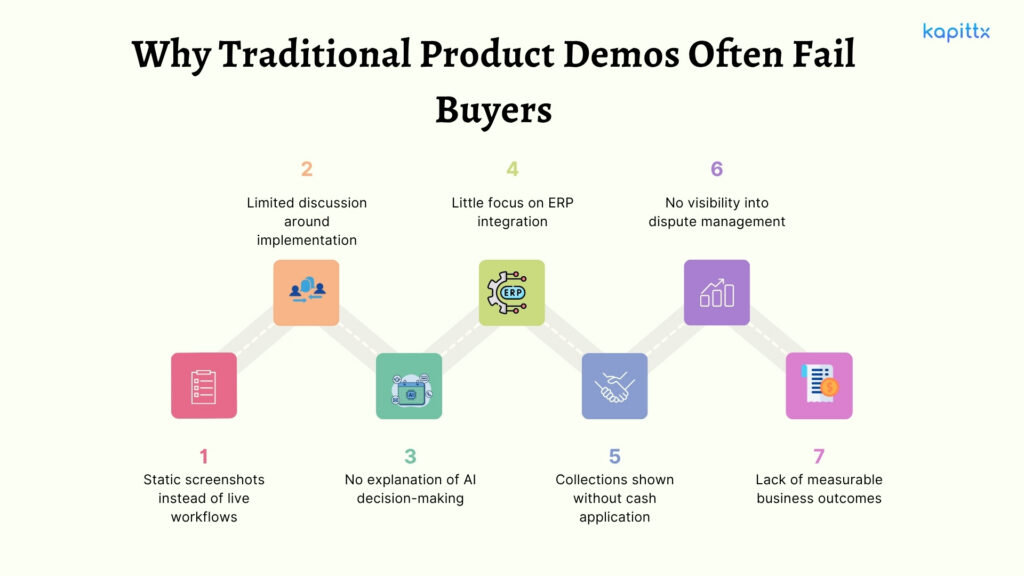
Common issues include:
- Static screenshots instead of live workflows
- Limited discussion around implementation
- No explanation of AI decision-making
- Little focus on ERP integration
- Collections shown without cash application
- No visibility into dispute management
- Lack of measurable business outcomes
According to Deloitte, finance organizations continue investing heavily in intelligent automation because it improves operational efficiency while allowing finance professionals to focus on higher-value activities. Similarly, Gartner continues to highlight AI and automation as strategic priorities for modern finance functions. An effective Accounts Receivable Automation Demo should therefore demonstrate business transformation, not simply software functionality.
Before the Demo: Clearly Define Your Current AR Challenges
One of the biggest mistakes buyers make is attending demonstrations without documenting their existing pain points.
Before evaluating any vendor, identify your current baseline across the entire Invoice-to-Cash process.
Build Your Internal Assessment
Evaluate:
- Current DSO
- Percentage of overdue invoices
- Collection Effectiveness Index (CEI)
- Average invoice aging
- Collector productivity
- Cash application turnaround time
- Number of manual reminder emails
- Dispute resolution cycle
- ERP reporting limitations
- Typical Business Challenges
Many organizations still struggle with:
- Collectors manually sending hundreds of payment reminders
- Inconsistent customer follow-ups
- Spreadsheet-based aging reports
- Poor visibility into collection performance
- Delayed cash application
- Slow dispute resolution
- Missing supporting documents during collections
The clearer your problem statements, the easier it becomes to determine whether the vendor can solve them.
Can an AI Accounts Receivable Platform Identify the Causes of Rising DSO?
Many systems generate aging reports.
Far fewer explain why invoices remain unpaid.
Modern AI in Finance should move beyond reporting to provide predictive intelligence and actionable recommendations.
Key Questions to Ask During the AI Accounts Receivable Automation Demo
- Can AI predict late-paying customers?
- Does it identify collection bottlenecks?
- Can it prioritize customers based on payment risk?
- Does it recommend the best next action?
- Can it segment customers using historical payment behavior?
Rather than asking collectors to manually analyze reports, advanced AI should continuously recommend which customers deserve immediate attention.
Evaluate AI-Powered Collections Automation Beyond Automated Payment Reminder.
Collections is often where organizations realize the fastest ROI from Accounts Receivable Automation.
However, not every vendor offers intelligent Collections Automation.
Your AI AR Software Demo Checklist
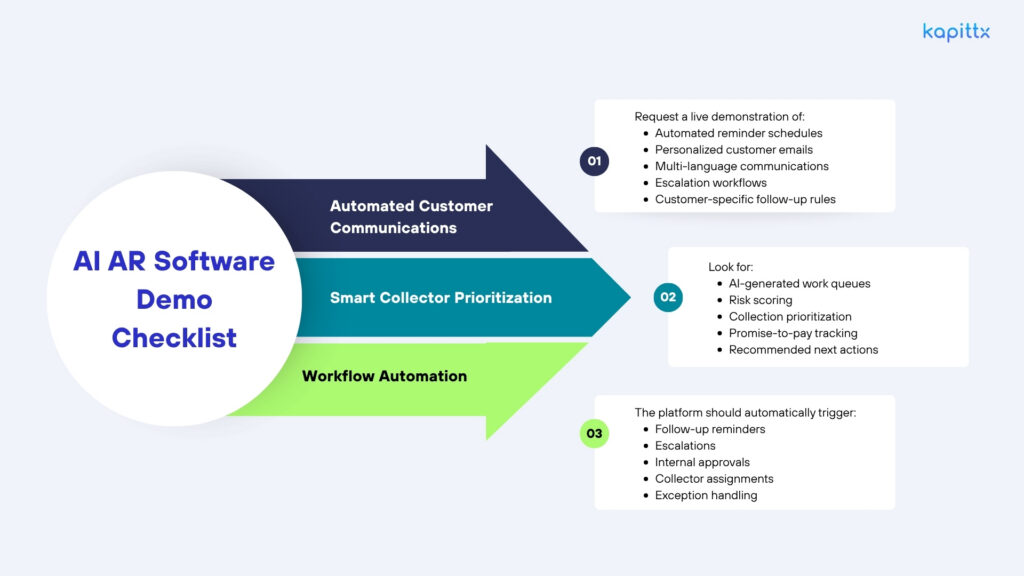
Automated Customer Communications
Request a live demonstration of:
- Automated reminder schedules
- Personalized customer emails
- Multi-language communications
- Escalation workflows
- Customer-specific follow-up rules
Smart Collector Prioritization
Look for:
- AI-generated work queues
- Risk scoring
- Collection prioritization
- Promise-to-pay tracking
- Recommended next actions
Workflow Automation
The platform should automatically trigger:
- Follow-up reminders
- Escalations
- Internal approvals
- Collector assignments
- Exception handling
Ask the vendor to demonstrate live workflows, not presentation slides.
Evaluate Dispute Management and Exception Handling
Disputes are among the biggest contributors to delayed payments.
Without structured workflows, invoices remain unpaid while finance teams exchange emails with customers, sales teams, and operations.
A mature AI Accounts Receivable platform should:
- Capture disputes centrally
- Automatically assign ownership
- Track SLA compliance
- Escalate unresolved issues
- Maintain complete audit trails
- Improve collaboration across departments
Ask the vendor to demonstrate an entire dispute lifecycle, from dispute creation to final resolution.
This often reveals how mature the solution truly is.
Evaluate AI Capabilities, Not Just Automation
Many vendors market themselves as AI-powered.
The real question is:
What decisions can AI actually make?
During your Accounts Receivable Automation Demo, ask for examples of:
Predictive AI
- Payment predictions
- Customer risk scoring
- Collection forecasting
- Cash flow forecasting
Generative AI
- Drafting collection emails
- Summarizing account history
- Explaining collection trends
- Recommending communication strategies
Decision Intelligence
- Best next action recommendations
- Escalation suggestions
- Collector prioritization
- Collection strategy optimization
A useful question is:
Which decisions does AI make independently, and which ones demand human oversight?
Assess Invoice Delivery and Supporting Document Automation
Payment delays are often caused by missing documents, not unwilling customers.
Customers frequently request:
- Invoice copies
- Purchase Orders (POs)
- Proof of Delivery (POD)
- Statements of Account
- Contracts
- Credit Notes
Without automation, collectors spend valuable time manually locating and sending documents.
Questions to Ask
- Can invoices be automatically attached to reminders?
- Does the solution retrieve documents directly from the ERP?
- Is there a customer self-service portal?
- Is every document exchange fully audited?
Reducing document retrieval time significantly accelerates collections.
Beyond Collections: Evaluate the Complete Invoice-to-Cash Process
Many buyers focus exclusively on collections.
However, collections represent only one stage of the Invoice-to-Cash lifecycle.
An enterprise-grade platform should also automate:
- Remittance processing
- Cash application
- Payment matching
- Short-pay investigations
- Deduction management
- Unidentified receipts
- Reconciliation workflows
Example
A customer pays fifty invoices through one bank transfer while sending remittance advice separately.
Without automation, finance teams manually reconcile payments against open invoices.
Modern AI should automatically:
- Read remittance emails
- Match payments
- Apply cash
- Flag exceptions
- Update ERP records
Organizations that automate the complete Invoice-to-Cash process typically achieve significantly higher ROI than those automating collections alone.
Request a Complete End-to-End Demonstration
Do not allow vendors to demonstrate isolated features.
Request a complete business workflow covering:
- Invoice generation
- Customer communication
- Collections workflow
- Payment tracking
- Dispute management
- Cash application
- ERP posting
- Executive reporting
An end-to-end demonstration reveals how seamlessly different modules work together.
Evaluate Reporting, Visibility, and Executive Dashboards
Finance leaders require actionable insights, not simply operational reports.
Ask to see dashboards covering:
- DSO
- Collection Effectiveness Index (CEI)
- Aging trends
- Promise-to-pay performance
- Collector productivity
- Cash flow forecasts
- Dispute aging
- Customer payment behavior
Also verify whether dashboards can be customized for CFOs, Controllers, AR Managers, and Shared Services teams.
Don't Ignore ERP Integration, Security, and Implementation.
One of the most common buyer questions is: Can AR automation integrate with my ERP?
The answer should be a confident yes.
Look for integrations with:
- SAP S/4HANA
- SAP Business One
- Oracle NetSuite
- Microsoft Dynamics
- QuickBooks
- TallyPrime
Equally important is implementation.
Ask:
- How long does AR automation implementation take?
- What internal resources are required?
- How is historical data migrated?
- What user training is included?
- How quickly can we achieve value?
Also evaluate:
- SOC 2 compliance
- GDPR readiness
- Role-based access controls
- Audit logs
- Data encryption
Security and governance should never be an afterthought.
Evaluate Change Management and User Adoption
Even the most advanced technology fails if teams don't adopt it.
Ask vendors how they support:
- User onboarding
- Collector training
- Workflow configuration
- Process standardization
- Performance measurement
- Ongoing customer success
- Successful implementations focus equally on people, processes, and technology.
Questions Every Vendor Should Answer
Before ending your Accounts Receivable Automation Demo, ensure every vendor clearly answers:
- What measurable DSO improvement do customers typically achieve?
- How much manual work is eliminated?
- What percentage of cash application is automated?
- How does AI prioritize collections?
- How does the platform integrate with our ERP?
- What implementation timeline should we expect?
- What security certifications are maintained?
How is ROI measured after deployment?
AI AR Software Demo Scorecard
|
Evaluation Area |
Questions to Evaluate |
|---|---|
|
AI Intelligence |
Does AI predict payments and recommend actions? |
|
Collections Automation |
Are reminders, escalations, and workflows automated? |
|
Invoice-to-Cash |
Does the platform automate collections, cash application, and reconciliation? |
|
ERP Integration |
Does it integrate with existing ERP systems? |
|
Reporting |
Are executive dashboards customizable? |
|
Security |
SOC 1, SOC 2, ISO, role-based access? |
|
Implementation |
Clear timeline and onboarding plan? |
|
User Adoption |
Training and change management included? |
|
Scalability |
Can it support multiple business units and geographies? |
|
ROI |
Expected DSO reduction and productivity improvements? |
Final Buyer's Checklist
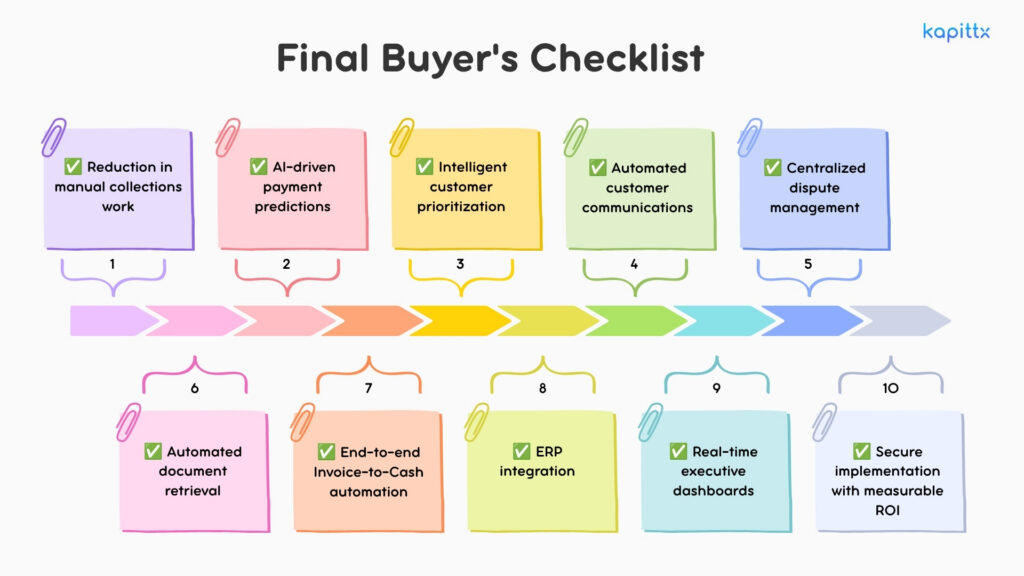
Before selecting an AI Accounts Receivable platform, confirm the demonstration clearly proves:
- Reduction in manual collections work
- AI-driven payment predictions
- Intelligent customer prioritization
- Automated customer communications
- Centralized dispute management
- Automated document retrieval
- End-to-end Invoice-to-Cash automation.
- ERP integration
- Real-time executive dashboards
- Secure implementation with measurable ROI
How Kapittx Helps You Execute This
An effective Accounts Receivable Automation Demo should demonstrate how technology transforms finance operations, not just digitizes existing processes. Kapittx takes this approach by combining AI-native automation with end-to-end Invoice-to-Cash capabilities designed for growing businesses in India and the US.
Kapittx enables organizations to automate customer collections, prioritize high-risk accounts using AI, orchestrate personalized reminder workflows, manage disputes centrally, retrieve invoices and supporting documents automatically, and accelerate cash application through intelligent remittance matching. Native integrations with ERP systems such as SAP S/4HANA, SAP Business One, Oracle NetSuite, QuickBooks, and TallyPrime ensure finance teams work within their existing technology landscape.
Instead of relying on disconnected tools, Kapittx provides a unified platform that gives CFOs, Controllers, and AR leaders complete visibility into DSO, collections performance, cash flow forecasts, dispute status, and collector productivity. The result is faster collections, reduced manual effort, improved working capital, and a measurable return on automation investment.
Frequently Asked Questions
